
Field-service app for small contractors
Run the whole job without losing the day to paperwork.
Jobs, estimates, proposals, invoices, scheduling, crew hours, photos and receipts in one place — built by a contractor, around the way small crews actually work.
Free while Stedley is in beta · no card required
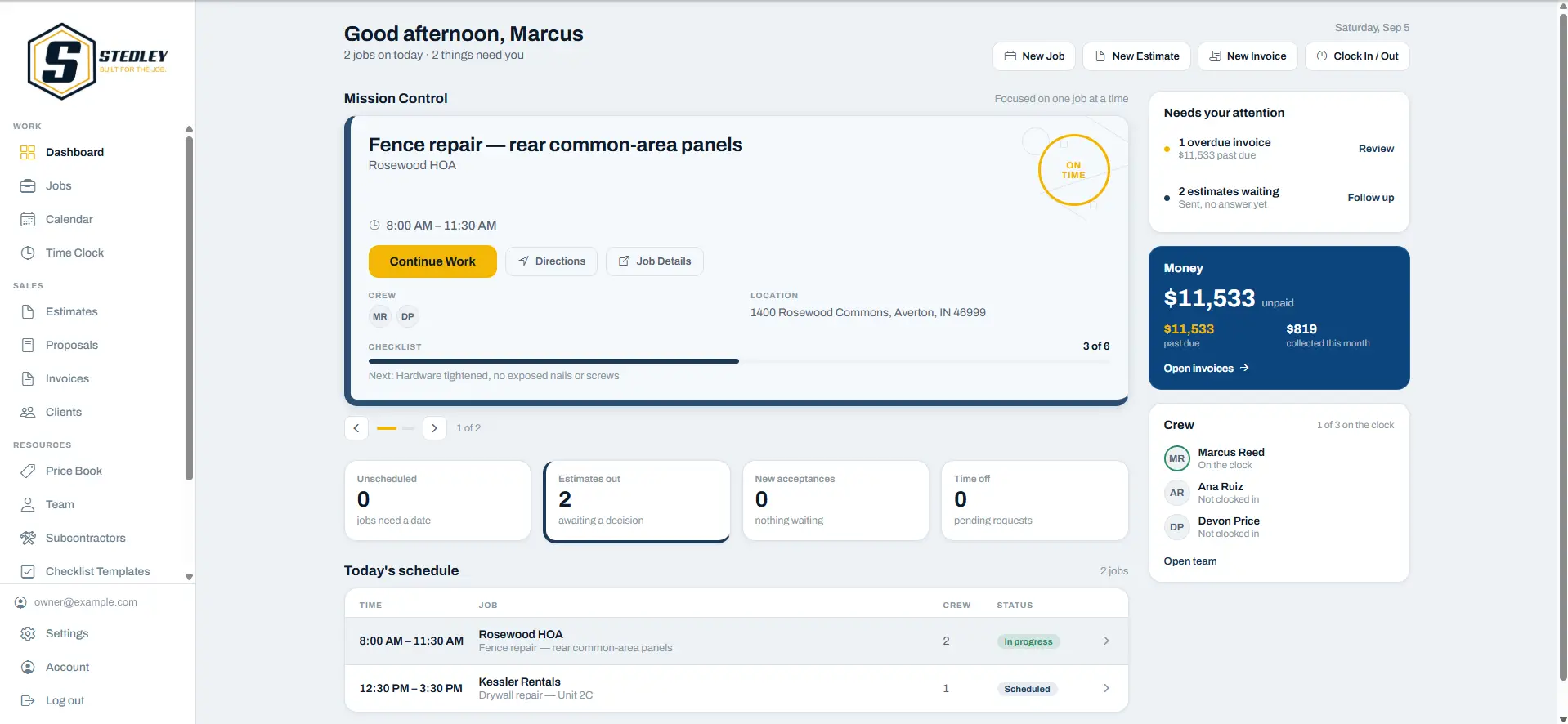
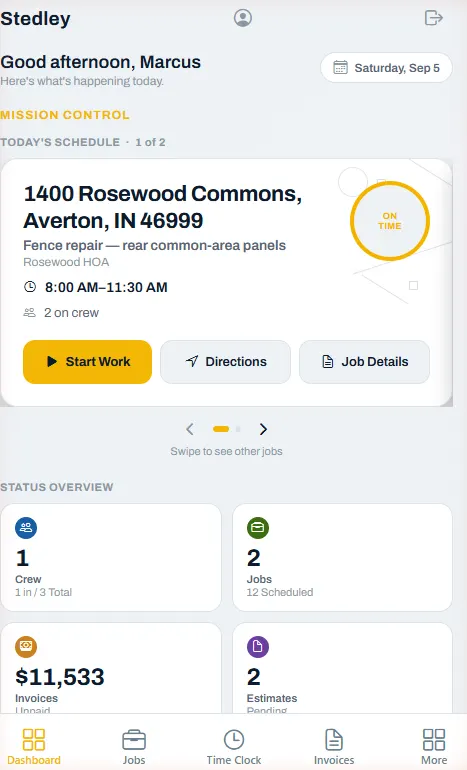
What Stedley is
One place for the four things a small contractor has to keep straight.
Clients & jobs
Every client, address and job in one list, with notes, photos and visits attached to the job instead of your memory.
Money in
Estimates become proposals, approved work becomes invoices, and you can see what is draft, sent and still owed.
Crew & hours
Schedule the week, assign the crew, and let them clock in on site — their hours land against the job.
Records
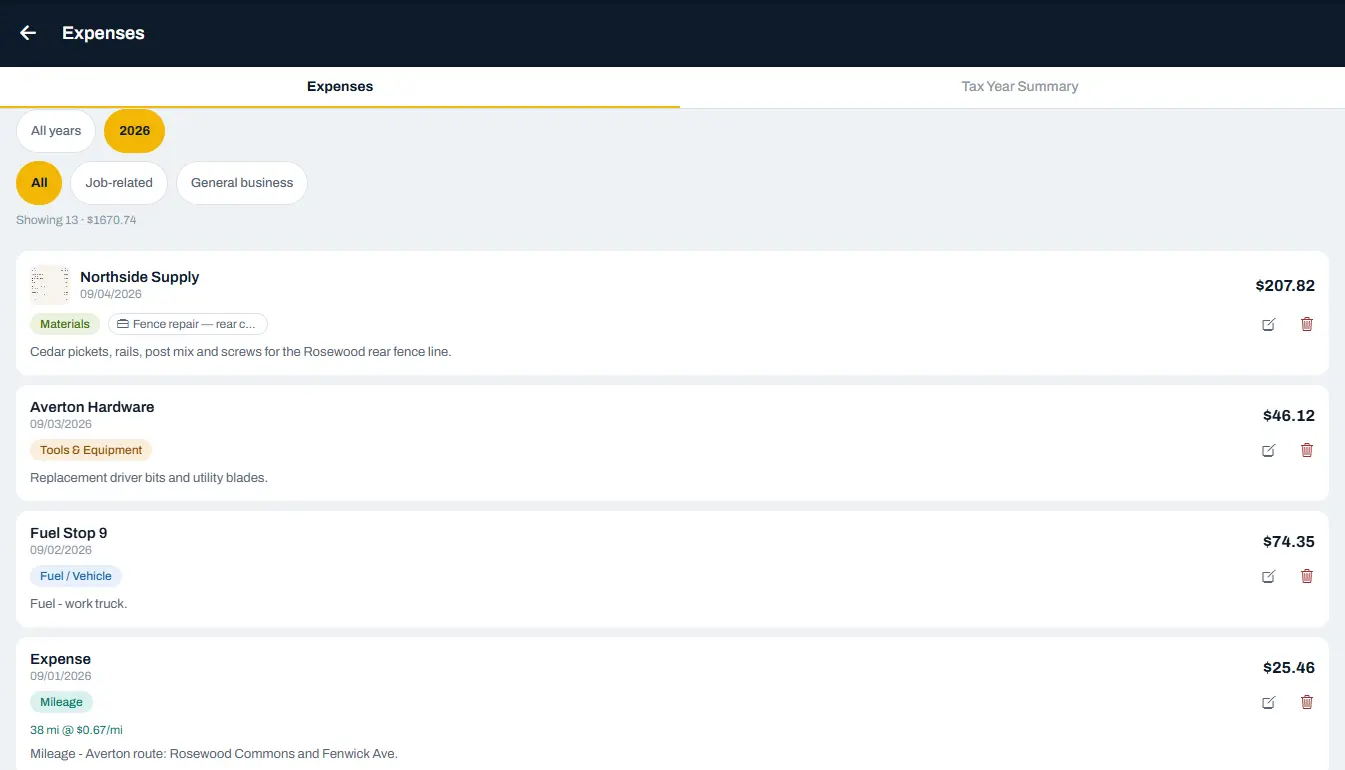
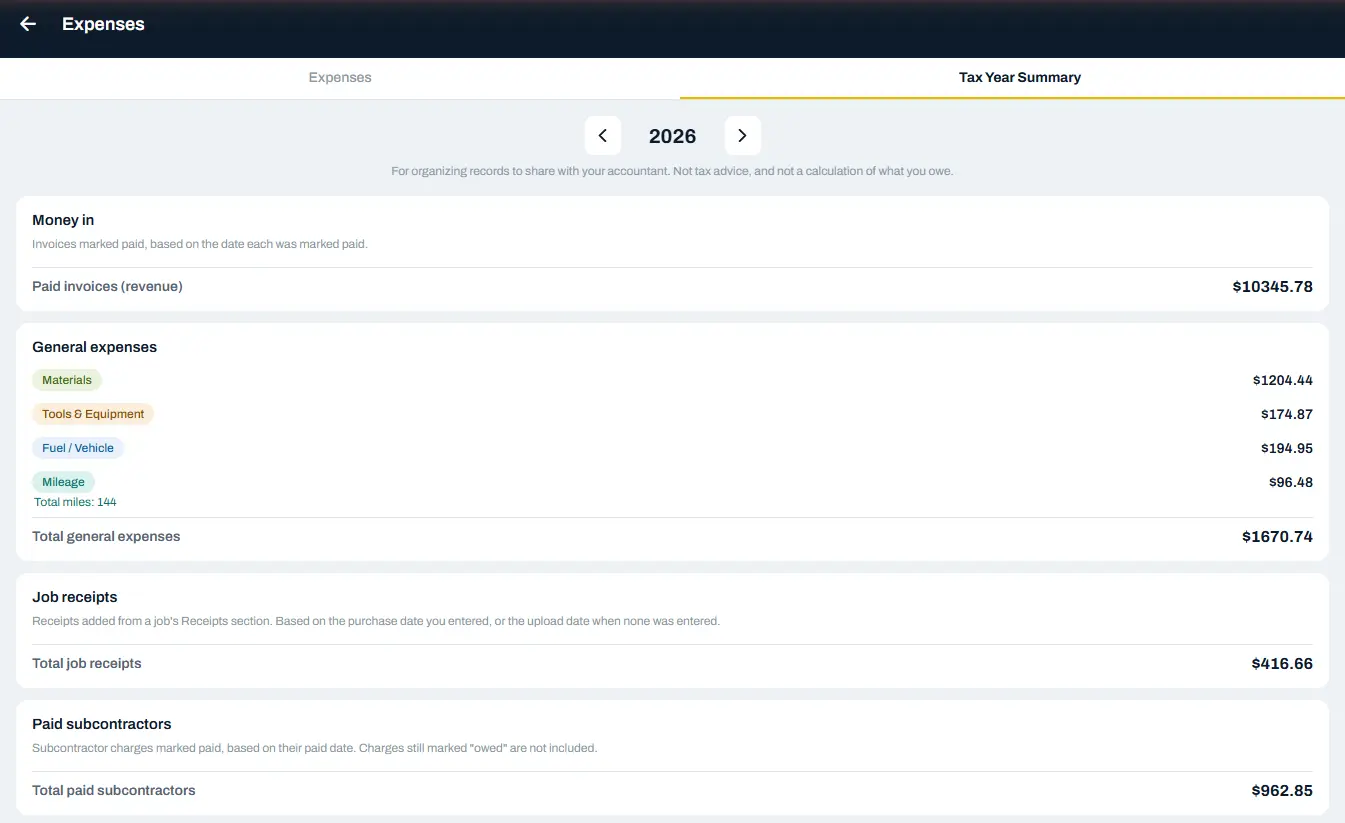
Receipts photographed on site, expenses by category, and a tax-year summary to hand your accountant.
Why it matters
The work is not the problem. The evening is.
Three things that quietly cost a small contractor money, and where they end up in Stedley.
The paperwork waits until the evening.
Estimates, invoices and hours are built on the phone while you are still on site — so the desk work is mostly done before you get home.
The receipt lives in the truck door.
Photograph it when it is handed to you and it is filed against the job, with the amount recorded and the category you chose.
The crew's week lives in a group text.
Visits are scheduled against the job, and each worker opens Stedley to see only the work they are assigned.
Built by Jeremy, a working contractor.
A DAY ON STEDLEY · SAT, SEP 5A DAY ON STEDLEY
8:05 AM8:05
ON SITEON SITE
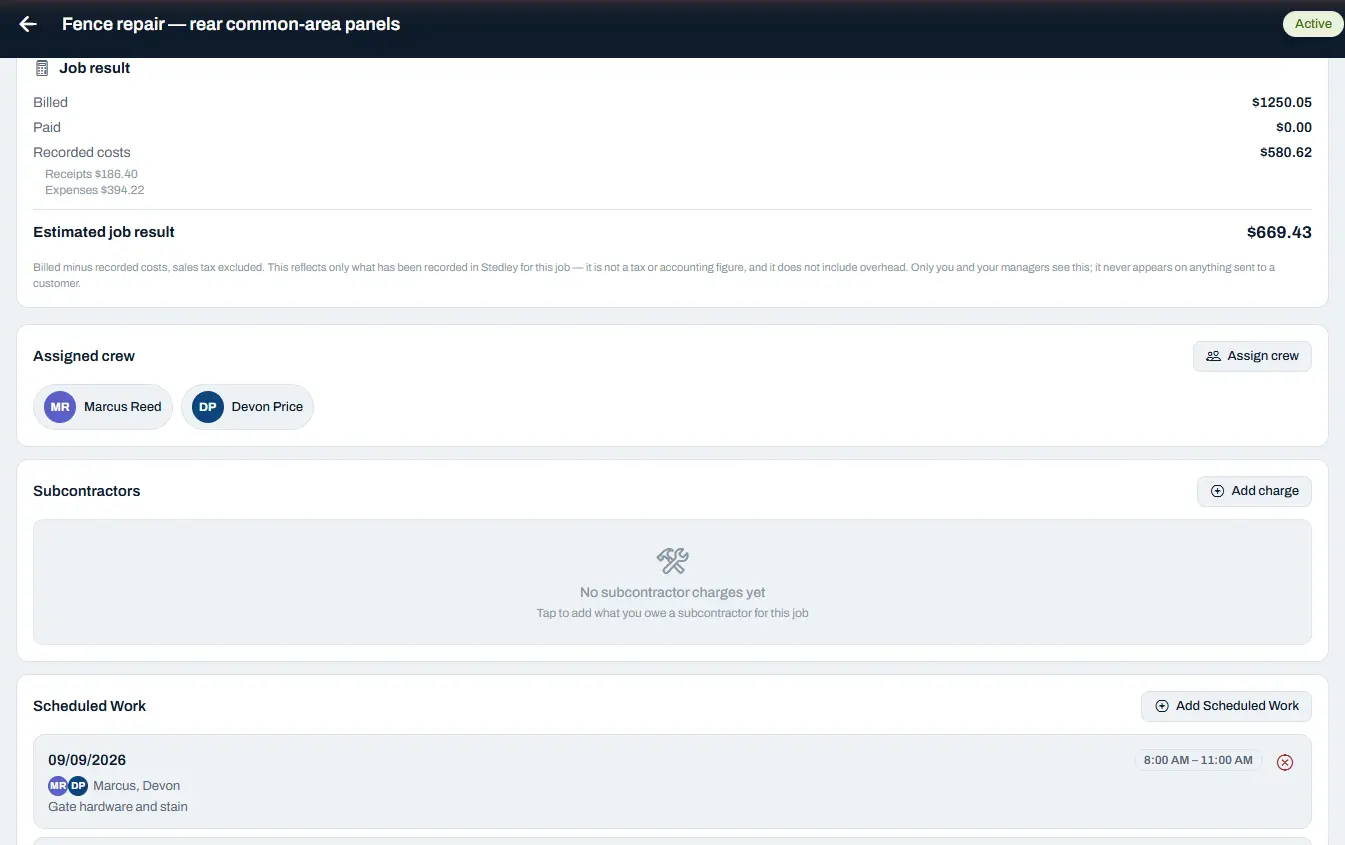
Arrive, and the job already knows what it is.Arrive to a job that knows itself
Who the client is, what was agreed, what the job has billed and cost so far, who is on it, and the next visit already booked. Repeat visits and recurring work get set up once instead of rebuilt every week.The client, the money so far, the crew, and the next visit already booked.
10:20 AM10:20
MID-JOBMID-JOB
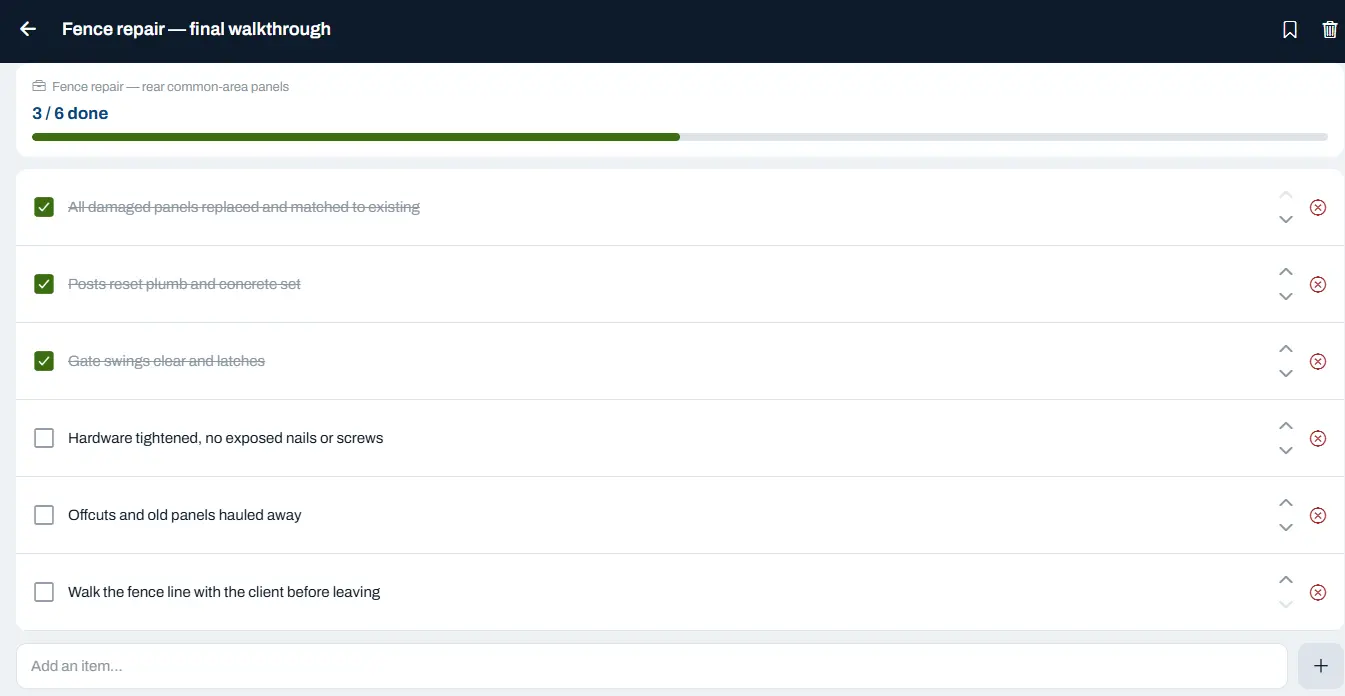
Nothing gets missed because it lived in someone's head.Nothing lives in a head
Build the checklist once, reuse it on every job like it, and let the crew work down it on site. Anyone who opens the job can see how far it has actually got.Build it once, reuse it, and see how far the job has got.
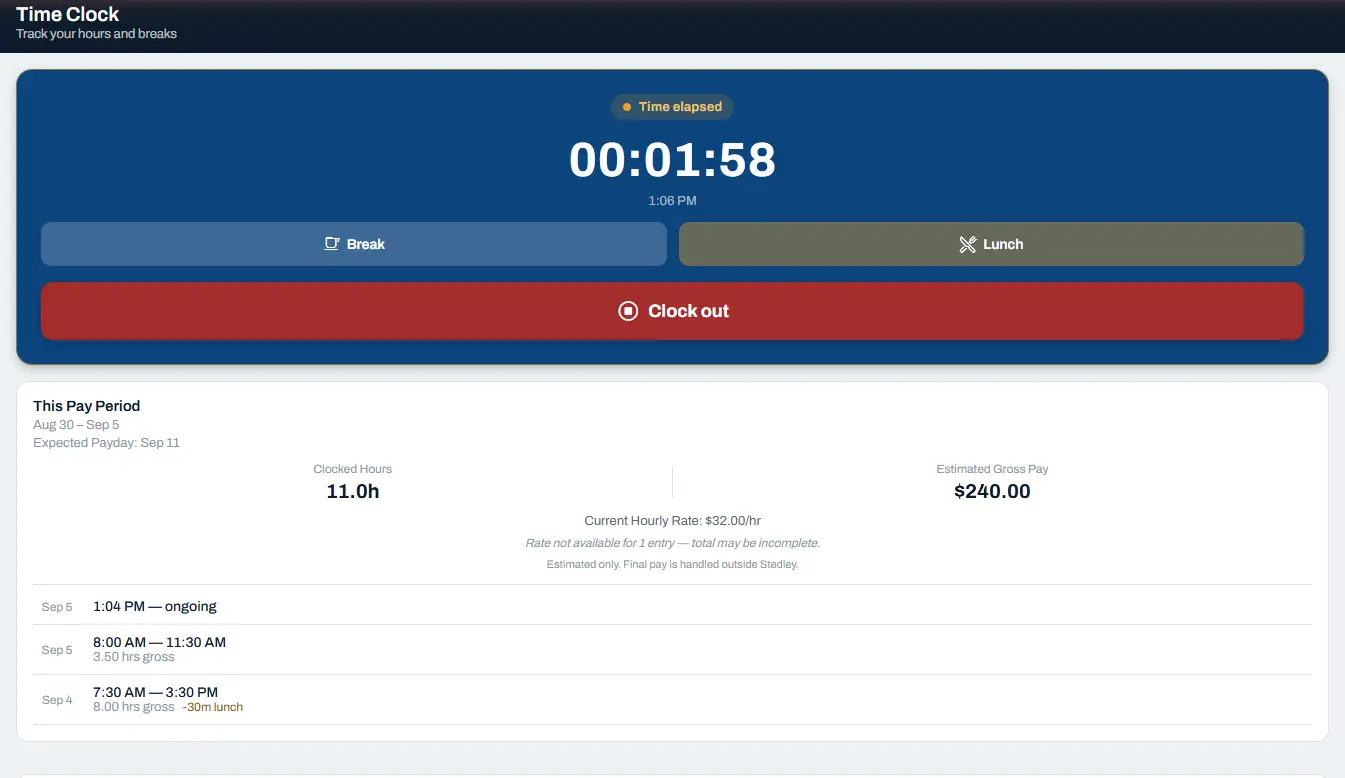
1:06 PM1:06 PM
THE HOURSTHE HOURS
The hours get counted while the work happens.Hours counted as you work
Clock in against the job, take a break, clock out. The pay period keeps a running total of Clocked Hours and an estimated gross figure beside it — estimated only, because final pay is handled outside Stedley.Clock in, clock out, and the pay period adds itself up as you go.
Estimate → Proposal → Invoice
Quote it. Present it. Bill it.
Build the estimate, turn it into a polished proposal, and carry the approved work through to invoicing without re-entering the same job details.
Stedley writes the documents, records where each one stands, and bills against what was accepted. Getting the money still happens the way it already does for you — Stedley does not process customer payments.
01 ESTIMATEEST-9925
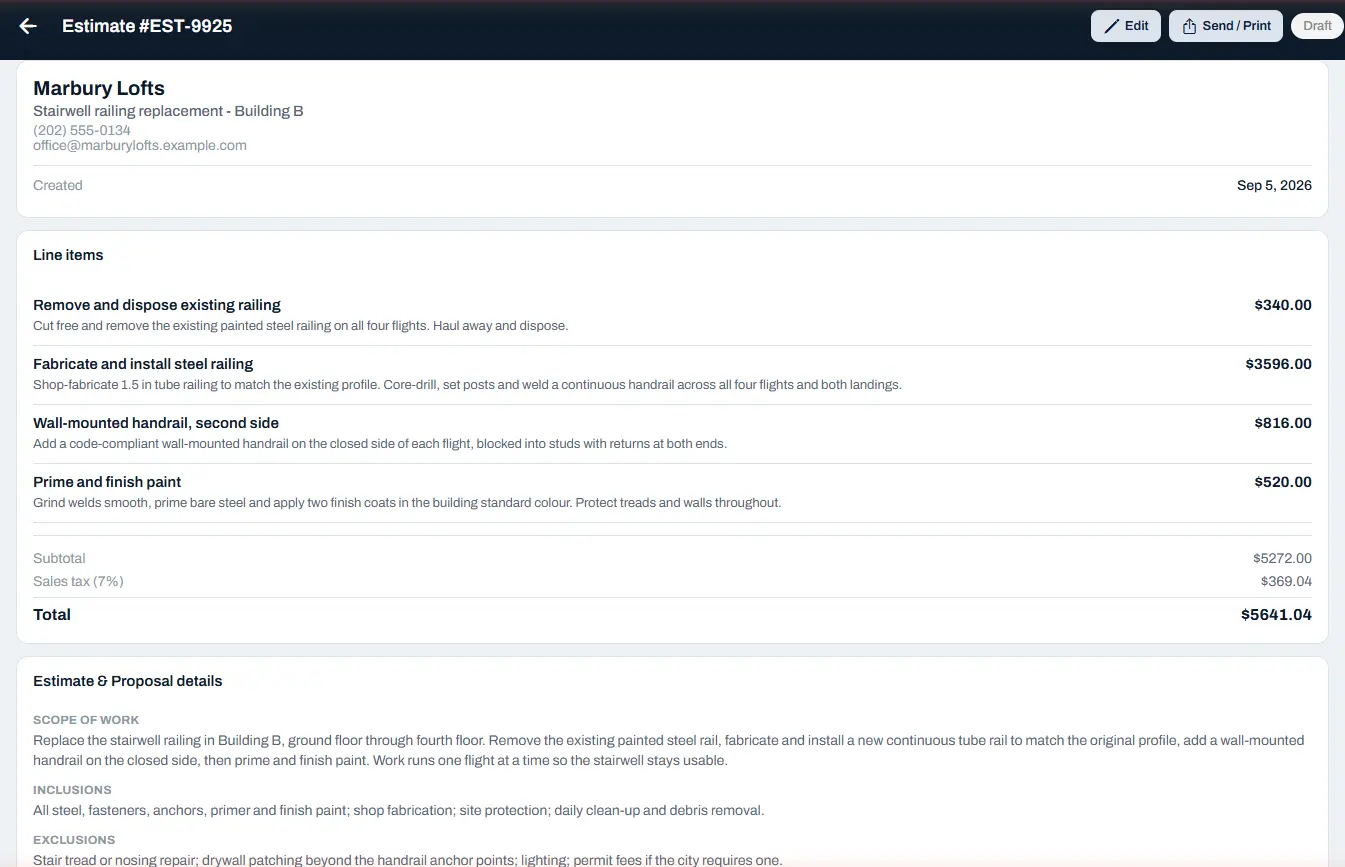
Price the work line by line. Tax is applied and the totals are worked out for you, and the scope you agreed is written down in the same document.
02 PROPOSALFROM EST-9925
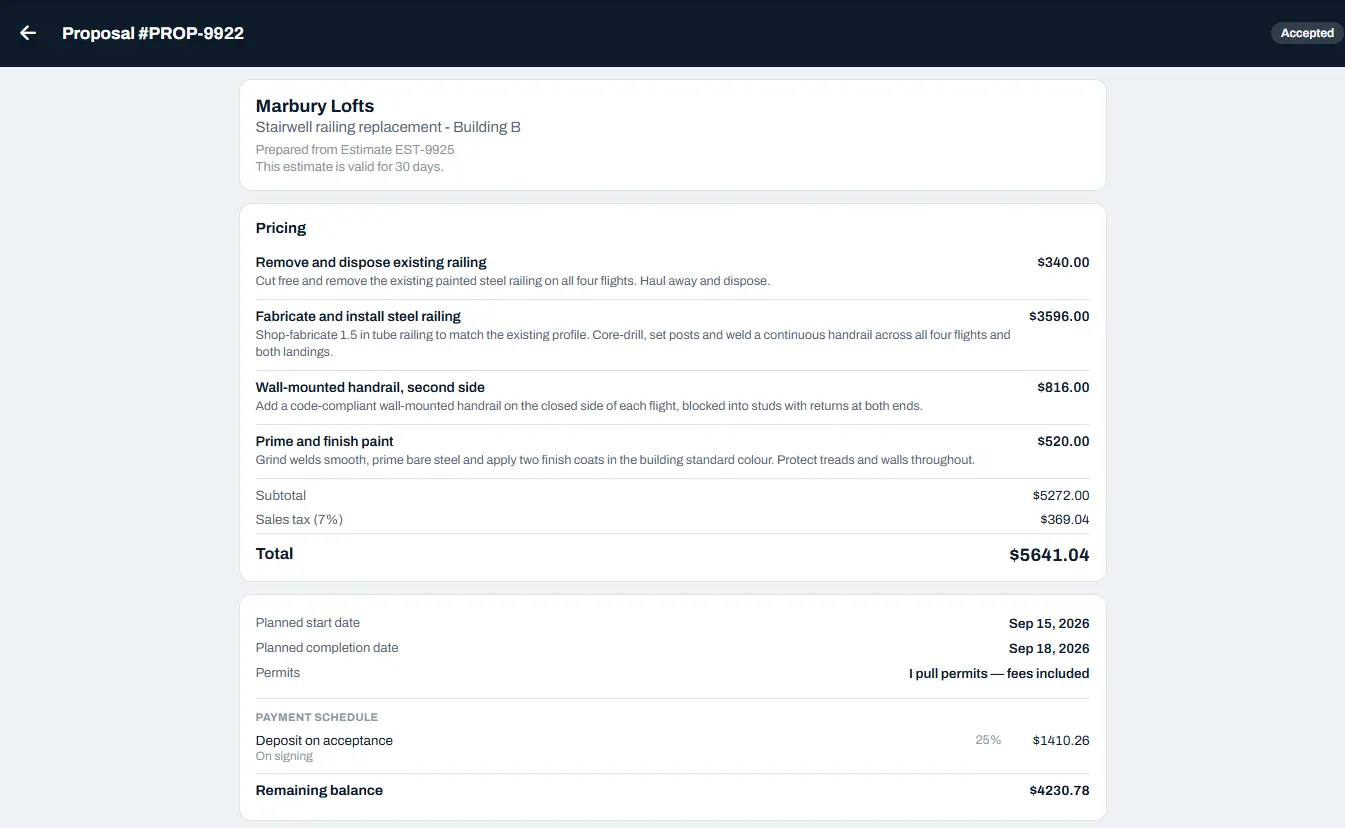
Turn that same estimate into a client-ready document with scope, planned dates, permits and a payment schedule — then record what the customer said.
03 INVOICEFROM PROP-9922
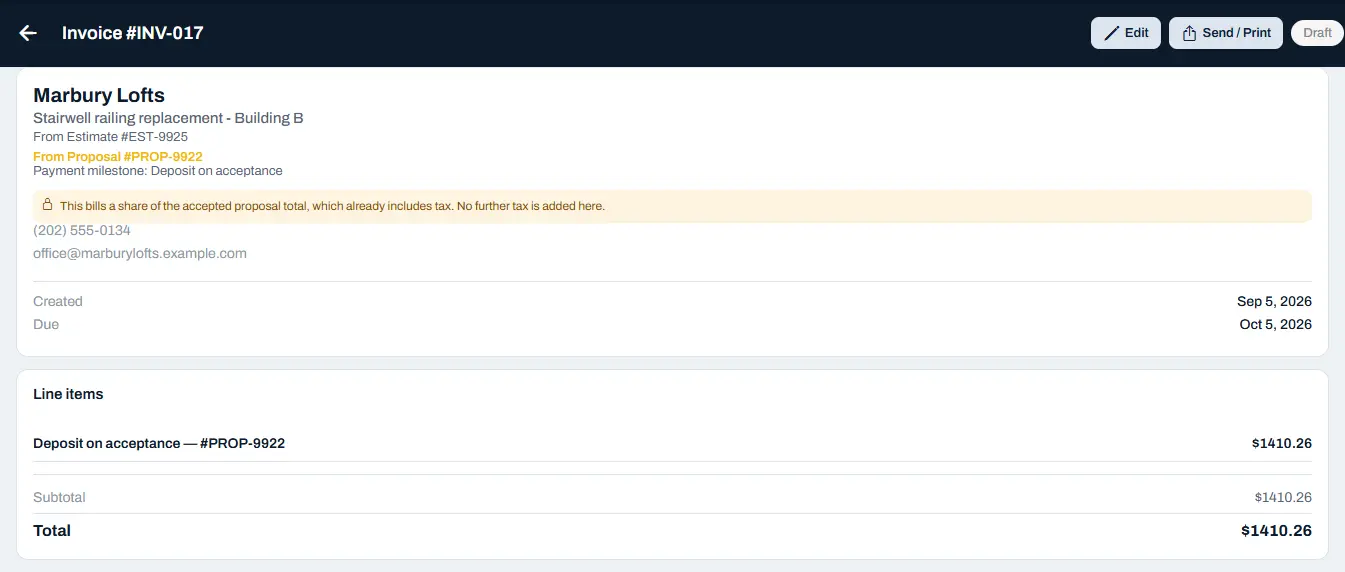
Bill a milestone of the accepted work. The invoice carries its own line back to the proposal and the estimate it came from, so nobody has to reconstruct the job later.
Your crew
Your crew sees their own work, and not your books.
Each person you invite gets their own code, and you choose what they can see. A worker gets the jobs they are assigned and their own hours — not your invoices, and not your company totals.
A worker sees
- The jobs they are assigned
- Where to be, and when
- Their own clock in and out, against the job
- Their own hours for the pay period, and the estimated gross that goes with them
A worker does not see
- Your invoices, or what a client owes you
- Your company totals
Records
Keep the receipts. Lose the shoebox.
Photograph a receipt on site and file it to the job it belongs to, track business expenses by the category you choose, and pull a clean yearly summary to hand your accountant.
Stedley organizes your records. It does not connect to accounting software.
What Stedley is not
Four things Stedley deliberately does not do — so nothing surprises you later.
Not accounting software
It organizes the records your business creates and hands them over cleanly. Your accountant stays exactly where they are.
Not payroll
Estimated gross pay is worked out from the hours and the rate on file, shown so a worker can see where their hours landed. Final pay is handled outside Stedley.
Not tax advice
The tax-year summary is for organizing records to share with your accountant — not a calculation of what you owe.
Not an enterprise system
Built for an owner still on the tools with a crew of a few people — not for a company with an IT department and a rollout plan.
Questions
Straight answers before you sign up.
What is Stedley?
Stedley is field-service software for small contractors. It keeps clients, jobs, scheduling, estimates, proposals, invoices, crew hours, photos, receipts, expenses, and subcontractors in one place, so the paperwork side of the work stops living in notes, texts, and spreadsheets.
Who is Stedley for?
Small trades and service businesses — the owner who is still on the tools, running a crew of a few people, and doing the office work in the evening. It is built by a working contractor, and it is deliberately not an enterprise system.
Is Stedley accounting or payroll software?
No. Stedley is not accounting software, payroll software, or tax preparation software, and it does not process customer payments. It organizes the records your business creates and hands them over cleanly. Your accountant, your bank, and however you already pay people all stay exactly where they are.
Can I use Stedley on my phone?
Yes. Stedley runs in a web browser, and the app is built to be used on a phone in the field as well as on a desktop in the office. It is the same account and the same company records either way.
Is there an Android or iPhone app?
Not yet. Web is available today; Android and iOS apps are coming soon. There is nothing to download from the App Store or Google Play at the moment — you open Stedley in your phone browser and sign in.
What does Estimated Gross Pay mean?
It is worked out from a worker’s Clocked Hours for the pay period and the rate on file, and the screen says so when a rate is missing. It is an estimate only, shown so a worker can see roughly where their hours have landed. Stedley does not calculate withholding or deductions and does not produce final pay — final pay is handled outside Stedley.
How do receipts and accountant-ready exports work?
Photograph a receipt on site and it is filed against the job it belongs to. Expenses are recorded with the category you choose. At the end of the year a Tax Year Summary totals money in, expenses by category, job receipts, and paid subcontractors, so you can hand your accountant an organized package. It is for organizing records, not tax advice, and it is not a calculation of what you owe.
How much does Stedley cost?
Stedley is in beta and nobody is being billed yet, so these are what it will cost when it opens. Plans are priced by how many employees you add, and the owner is not one of them: $15 a month for the owner plus 1 employee, $25 for the owner plus 5, and $35 for the owner plus 10. Bigger crews carry on in blocks of 5. Paying yearly costs ten months instead of twelve. When Stedley opens to everyone there will be a 14-day free trial that needs no card, and it will not turn into a paid plan on its own — you choose whether to continue.
IF YOU CANNOT GET IN YET
Stedley is still in beta.
We are opening it up, and it is free while we do. If creating an account did not let you in, leave your details here and we will sort it out.
Already using Stedley? Sign in